OmniFile: batch conversion that reads the bytes, not the name
A converter that tests your browser before it offers anything — captured, weighed, and set beside CloudConvert and Squoosh.
Tested 2026-09-27Build 537, local copyDesktop capture 20:15:04ZPhone capture 20:15:09ZPublisher LABS, which also makes this tool
CH 10labs.llc/omnifile/captured 20:15:04Z
12345
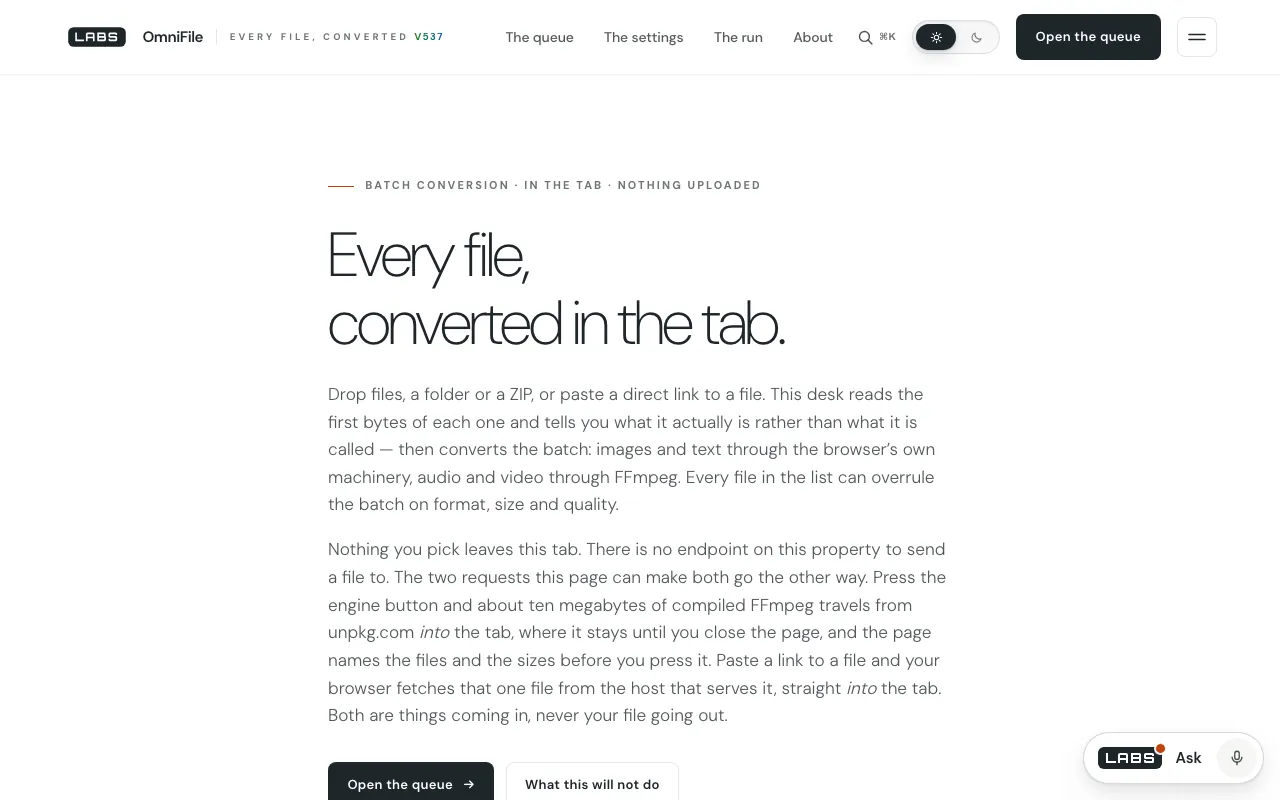
Callouts · desktop capture, 1280 × 800
1Callout 1: The eyebrow: “Batch conversion · in the tab · nothing uploaded”.
2Callout 2: “Reads the first bytes of each one and tells you what it actually is rather than what it is called.”
3Callout 3: “There is no endpoint on this property to send a file to.”
4Callout 4: “About ten megabytes of compiled FFmpeg” — the core file we measured is 32,129,114 bytes (see the test).
5Callout 5: “What this will not do” — the limits, one click from the top.
Segment 1 · On screen
What it is, and who it is for
OmniFile is a batch converter that runs in the browser tab. Drop files, a folder or a ZIP, or paste a direct link; it reads what each file really is from its bytes, then converts images and text through the browser’s Canvas and audio and video through FFmpeg compiled to WebAssembly. Nothing is uploaded.
It is for anyone converting a batch of photos, clips or data files who would rather not send them to an online service.
Segment 2 · Behind the picture
How it works
The code’s first lines set the rule: no file you pick is ever sent anywhere, and there is no endpoint on the property to send one to (app.js lines 1–10). A sniffer names each file from its first bytes — about 45 identities, HEIC variants told apart by their ftyp brand — and says so when a name lies (lines 186–349). Readers parse headers for measured facts, among them EXIF orientation and whether a photo carries GPS tags; the GPS values themselves are never read or printed, and the page warns that a Canvas re-encode destroys them (lines 509–517).
The most unusual step comes before any conversion is offered: OmniFile tests the browser in front of it. It encodes a one-pixel canvas as PNG, JPEG, WebP and AVIF and sniffs what actually came out; it decodes tiny PNG, WebP, AVIF, HEIC and TIFF samples with both of the browser’s decoders, because they have been known to disagree; and it finds the largest canvas edge that really paints (lines 940–1035). FFmpeg — @ffmpeg/ffmpeg 0.12.10 with core 0.12.6 — comes from unpkg.com only when you ask for it, its addresses named on the page first.
What it reads
No data sources: files are read from your own disk
unpkg.com: the FFmpeg class, worker and WebAssembly core, fetched on demand — code coming in, never files going out
Bundled: jszip.min.js
A direct link you paste, fetched by the tab from the host that serves it
Segment 3 · The test
What we measured, and when
At 20:17:30 UTC the page came back from the local copy at 85,877 bytes, its script at 275,289 bytes and JSZip at 97,630 bytes. We then fetched the FFmpeg core the page asks for from unpkg: 32,129,114 bytes in 0.40 seconds on our connection, which matches the code’s own warning that “a 32 MB fetch should never be a surprise”.
The first screen (captured 20:15:04 UTC) describes the same engine as “about ten megabytes of compiled FFmpeg” — callout 4. We measured the uncompressed core, not what crosses a compressed connection, so we cannot say which figure a visitor will see on the wire; we can say the page and its code give two different sizes. We did not run a conversion, which needs a real browser.
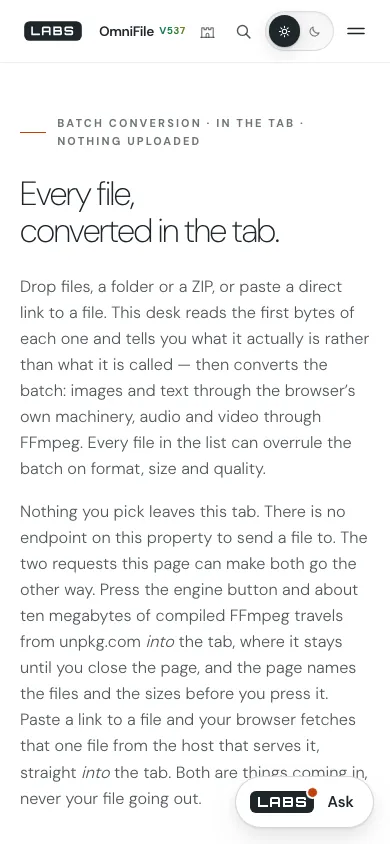
390 × 84420:15:09Z
12
Callouts · phone capture, 390 × 844
1Callout 1: The “ten megabytes” line again, at 390 pixels.
2Callout 2: The Ask launcher covers the end of the second paragraph in this capture.
Segment 4 · Other channels
Beside CloudConvert and Squoosh
Each comparator was checked on the date shown. We say what each does better before we say where OmniFile goes further.
An online converter for 212 formats across 11 categories — documents, images, video, audio, spreadsheets, slides, e-books, archives, vector, CAD and fonts — processed on its servers, with an API.
What it does better
Far more formats, documents, e-books and CAD among them; processing that does not depend on your device; and an API.
Where OmniFile goes further
OmniFile never uploads a file — there is nowhere to upload one to — and it identifies each file from its bytes and tests what your browser can read and write before offering a conversion.
Checked 2026-09-27 20:21 UTC · from its GitHub repository page
What it is
An open-source image compression app that works on one image at a time in the browser, across several codecs.
What it does better
Fine-grained codec controls and a side-by-side visual comparison for a single image; open source.
Where OmniFile goes further
OmniFile works in batches — files, folders and ZIPs of up to 20,000 entries — with a ledger of size in, size out and saving per file, handles audio, video and text as well as images, and flags GPS data in photos.
Segment 5 · Dropouts
Where it falls short
Documents are named but not converted: PDF, Office, OpenDocument, EPUB, RAR, 7-Zip, gzip, fonts and Photoshop files are ones the desk “can name but not convert”. CloudConvert handles 212 formats.
Audio and video need a 32 MB WebAssembly download from a third-party CDN on first use; if unpkg.com is unreachable, so is every audio or video conversion.
Heavy video work runs on your machine inside a tab, so speed and size limits depend on your device.
What it can read depends on your browser: HEIC, AVIF and TIFF decoding is tested per browser and may be missing.
Segment 6 · End card
The verdict
OmniFile measures before it promises: the file’s real type, your browser’s real abilities, every byte in the ledger. It is narrower than CloudConvert and leans on a CDN for its heaviest work, but your files stay exactly where they are.